Reviews
3.5
1567 reviews
51% of reviewers recommend this product.
So-so. Basic function is OK but "features" and "support" are not.
trying to keep it simple . 7 months ago
Great option from having to carry a cell phone around your house all day
Us331242 . 9 months ago
2 Based on average battery life under typical usage conditions. Average expected performance based on typical use. Actual battery life depends on factors such as network, features selected, frequency of calls, and voice data, and other application usage patterns. Results may vary.
3 While the Wireless Home Phone does have a backup battery, if the landline phone to which the Wireless Home Phone is connected requires external electric power to operate, service (including the ability to make and receive 911 calls) will not be available during a power outage.
4 You will need at least moderate Verizon Wireless coverage throughout your location to properly use the Wireless Home Phone service. The Wireless Home Phone device is designed to provide coverage at your location that is consistent with other Verizon Wireless devices, but Verizon Wireless does not represent that Wireless Home Phone service will be equivalent to landline phone service.
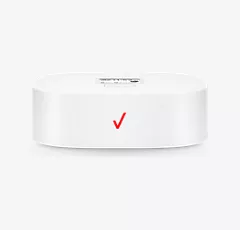
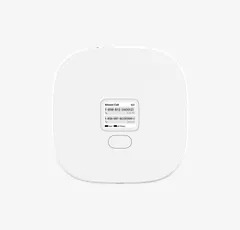
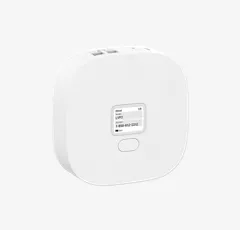
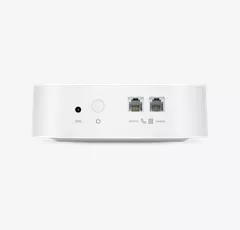
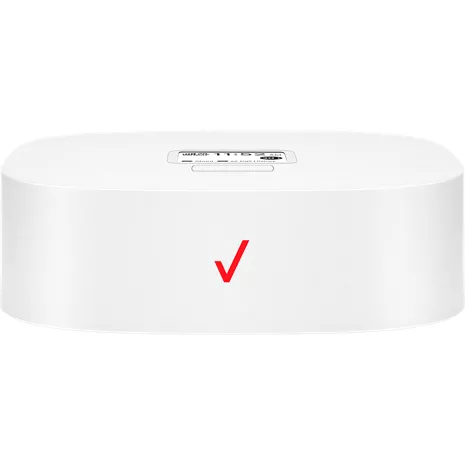
Design
Depth
1.81 in.
Size
145 x 145 x 46 mm (with rubber foot)
Weight
15.87 oz.
Display
LCD size 1.77 inch, Resolution 128 (RGB)*160, Display mode Normally white, Pixel pitch 0.073(W)*0.219(H), Active area 28.03(W)*35.04(H)
Performance
Processor
GCT GDM7243Q
SKU#
SKU#
WHPLVP2
What's in the box
- Wireless Home Phone Model #: LVP2
- Standard li battery
- Wall charger
- RJ11 cable
- Quick reference guide
2 Based on average battery life under typical usage conditions. Average expected performance based on typical use. Actual battery life depends on factors such as network, features selected, frequency of calls, and voice data, and other application usage patterns. Results may vary.
3 While the Wireless Home Phone does have a backup battery, if the landline phone to which the Wireless Home Phone is connected requires external electric power to operate, service (including the ability to make and receive 911 calls) will not be available during a power outage.
4 You will need at least moderate Verizon Wireless coverage throughout your location to properly use the Wireless Home Phone service. The Wireless Home Phone device is designed to provide coverage at your location that is consistent with other Verizon Wireless devices, but Verizon Wireless does not represent that Wireless Home Phone service will be equivalent to landline phone service.
Verizon Wireless Home Phone LVP2 Reviews
So-so. Basic function is OK but "features" and "support" are not.
trying to keep it simple . 7 months ago
Great option from having to carry a cell phone around your house all day
Us331242 . 9 months ago
Don't buy it.
Megz . 11 months ago
This product works great for my mother in law
Soninlaw . 11 months ago
Verizon service
Michael Gent . 11 months ago
Very disappointed! Avoid!
Blind Bob . 12 months ago
The best home phone service
Dean . 1 year ago
Great Idea, Not Reliable
1 year ago
Felt like a Verizon employee
Fran g . 1 year ago
Wonderful alternative to a cell phone
PYaeger . 1 year ago
Verizon Wireless Home Phone LVP2 FAQs
Anna . Jun 5, 2026
Is it possible to see a caller's name on the caller ID not just the number? If yes, what is the cost of this service?
Hola . May 30, 2026
What is the battery?
The Verizon Wireless Home Phone LVP2 uses a 2800 mAh Lithium-Ion (Li-ion) rechargeable battery. It serves as a backup power source in case of power outages to keep your landline phone active. For more questions, contact Verizon Customer Service at 800-922-0204. -Ross
Kathleen . May 18, 2026
Once the LVP2 has been hooked up where can i find the direction's to set up for the cordless landline phone
Home phone LVP2 . May 17, 2026
Can you use without wall jack?
Wifi . May 16, 2026
How to update wifi connection
To update the device's software over-the-air, ensure it is plugged into AC power. Press the Menu button twice to access the "About" section. When the screen displays the software version and IMEI number, double-press the Menu button again to initiate the update and follow the prompts. The Verizon Wireless Home Phone (LVP2) relies on the 4G LTE cellular network to provide a dial tone rather than a standard Wi-Fi router network. However, if you are experiencing connection issues or need to update software, you can do so directly on the device. Verizon Steps to Manually Update the Device Connect to Power: Make sure your device is connected to a working electrical outlet using its AC/DC power adapter. Access the Menu: While on the Home screen, press the Menu button (located below the digital display). Locate the About Page: Press the Menu button again to access the second page of the 'About' section. Trigger the Update: Once the screen shows your software version and IMEI number, quickly double-press the Menu button in succession. Follow Prompts: Follow any on-screen instructions to complete the over-the-air software installation. For more questions, contact Verizon Customer Service at 800-922-0204? -Ross
no dial tone . May 11, 2026
No dial tone